Advertiser Guide
How to create your ad
Follow these steps to create and submit your ad image — takes about 10 minutes.
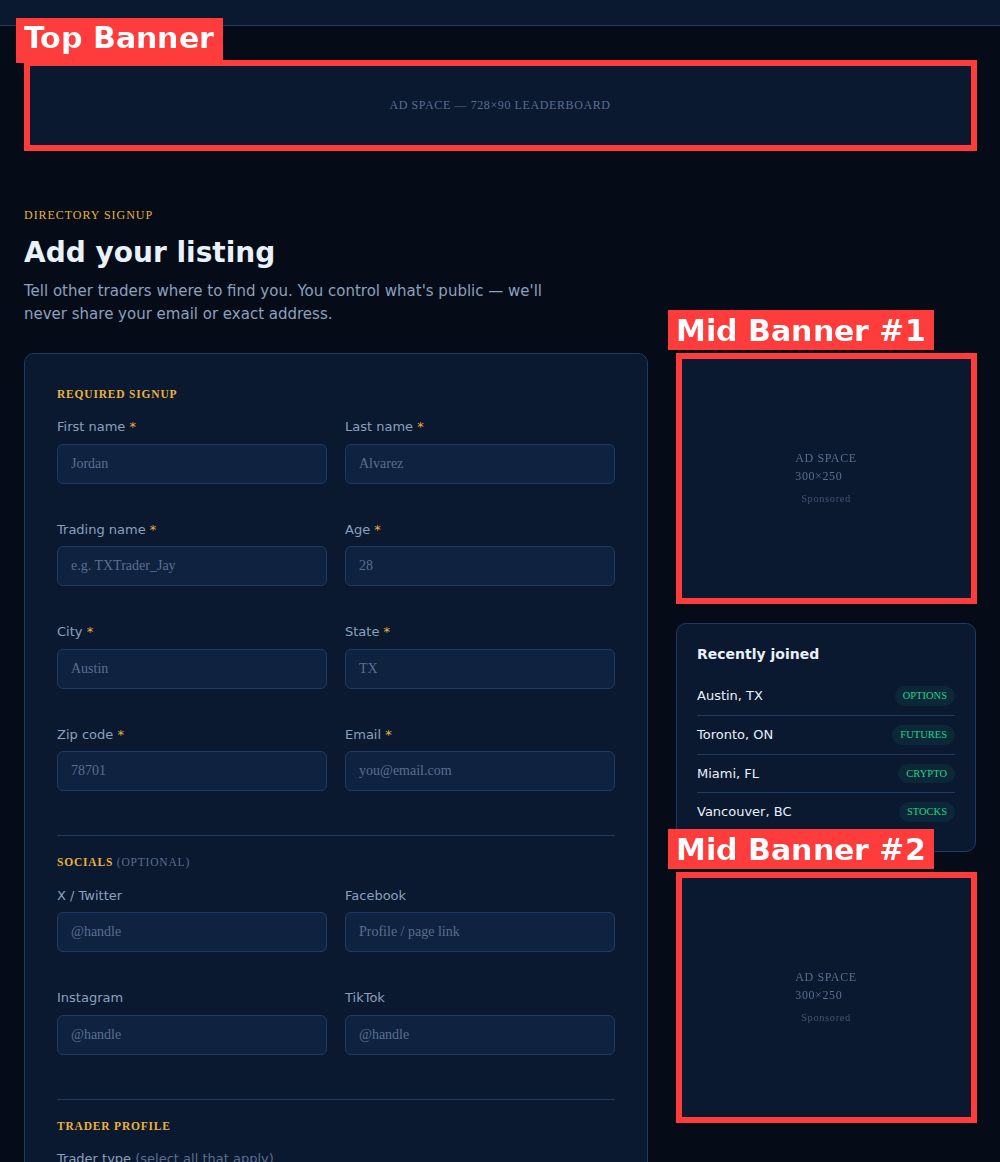
- Open Canva and tap "Custom Size" — enter the exact dimensions for the spot you're buying (728×90 for a Top Banner, 300×250 for a Mid Banner).
- Design your ad using that canvas size.
- Upload it to Imgur and copy the direct image link — it should look like
i.imgur.com/XXXXXXX.jpeg, not an album link (imgur.com/a/...links won't display correctly). - Paste that link into the ad request form, along with the page and spot you'd like.
Tip: Sticking to the exact pixel size keeps your ad from being cropped or stretched once it's live.
Which spot is which?
Every page follows the same layout — a Top Banner, and one or two Mid Banners below it.